
Find the Right Switch Faster
April 2026
Define the category. Then narrow by requirements or application.
Most selection issues don’t start with the switch. They start with incomplete requirements. Engineers often move into selection before defining key constraints. The result is familiar: redesigns, incorrect configurations, and delays.
A more effective approach is to define the category first, then narrow based on what the system actually demands. There are two practical ways to do that, depending on how you approach the problem.
To simplify selection, we’ve structured two resources to help narrow options.
| Short Form Guide | Illuminated Products | SmartDisplay™ Switches | Selection Guide | Product Overview |

Quickly narrow by switch type and component category
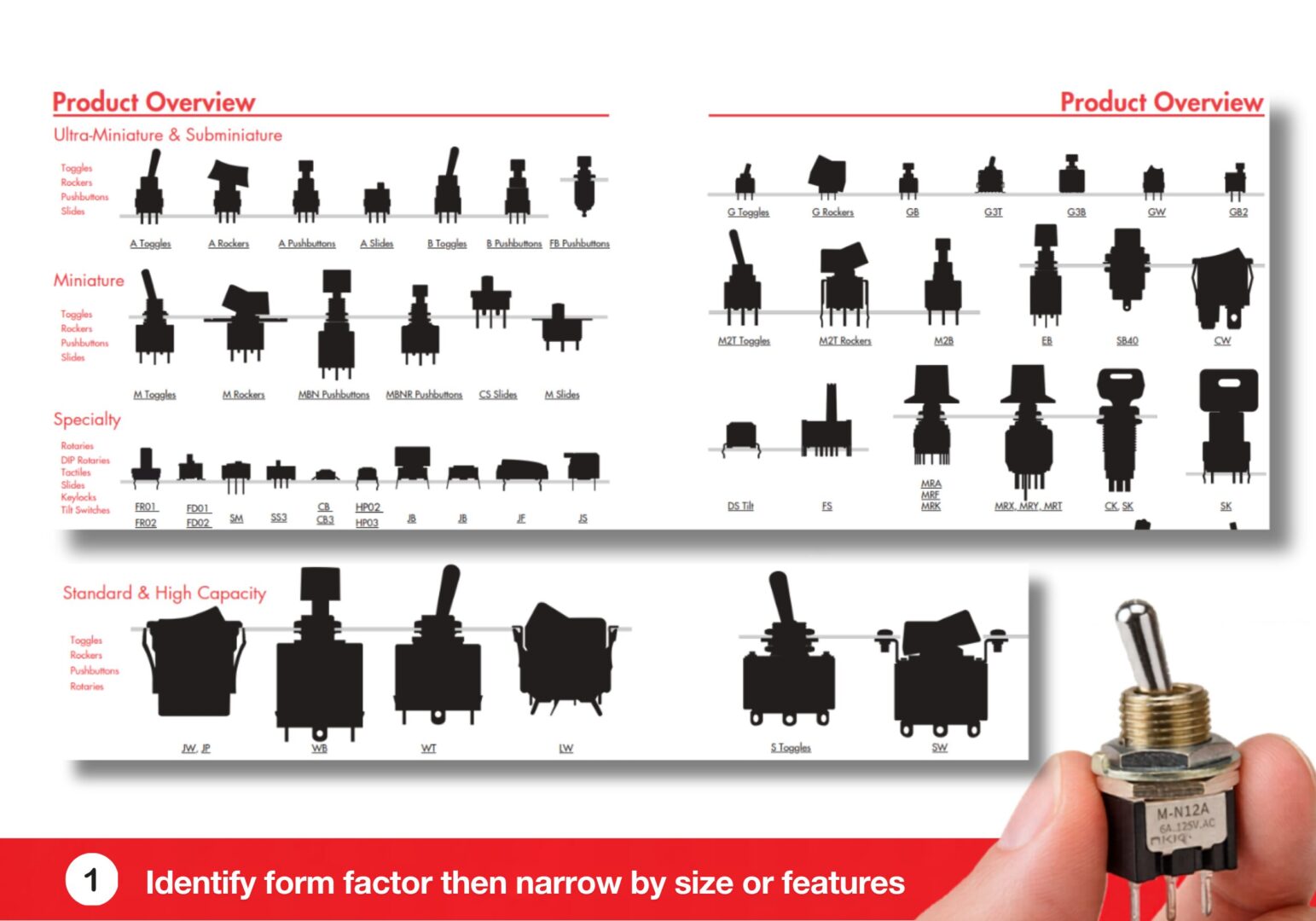
The Product Overview is a visual reference that allows engineers to quickly understand how NKK’s switch portfolio is organized by size, category, and switch type.
It presents switch families in grouped sections: ultra-miniature, miniature, specialty, illuminated, and standard/high capacity, with each section showing our most popular switch types and series.
Use this as a first-pass orientation to identify the right starting point.
Compare constraints to find the series
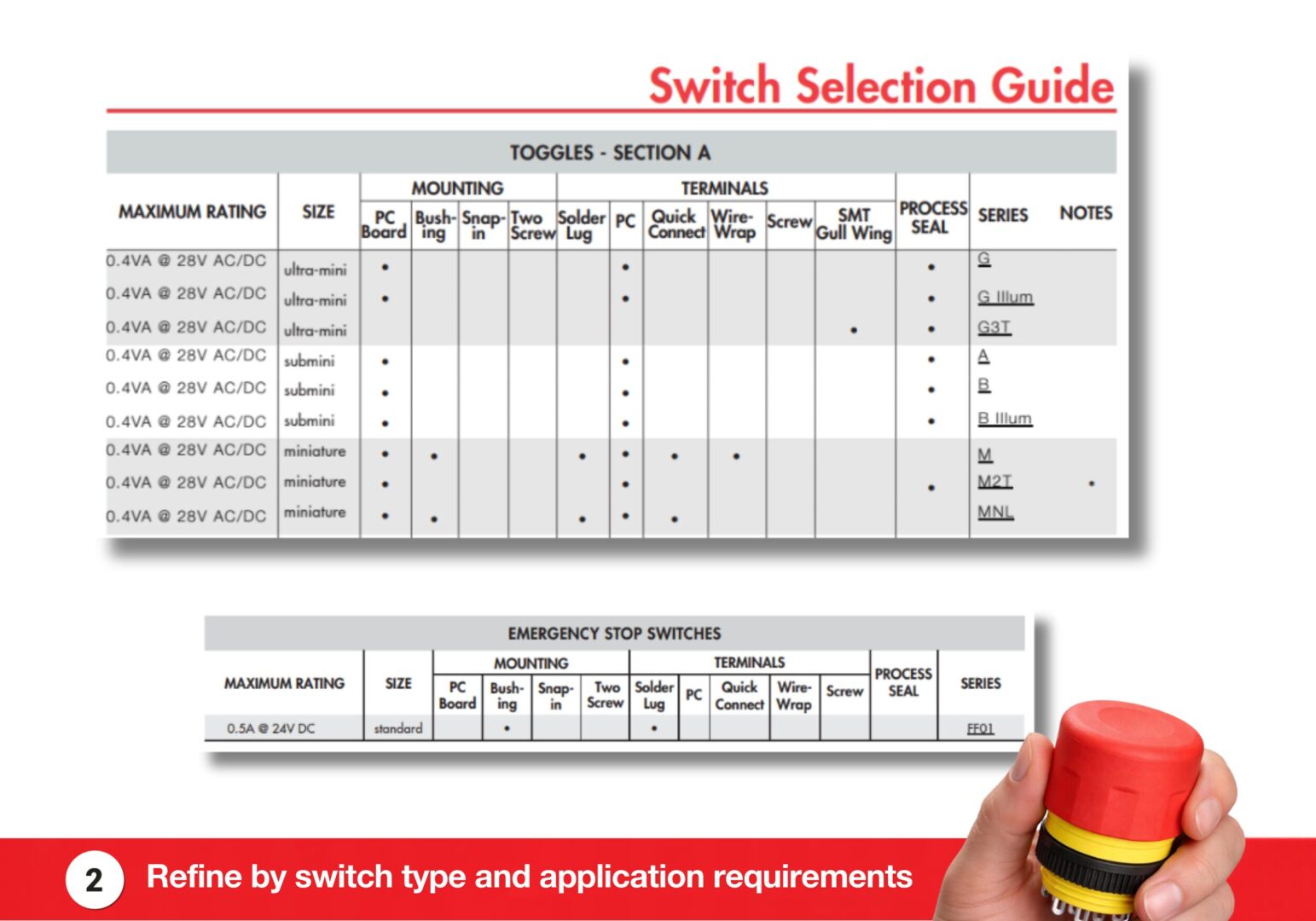
The Switch Selection Guide organizes switch series into a comparison matrix across key design parameters, including electrical rating, size, mounting, terminal configuration, and process sealing.
Organized by switch type, each section enables engineers to evaluate options side-by-side and eliminate configurations that do not meet application constraints.
Use this to evaluate switch series against key design constraints.
If your platform requires additional refinement, NKK engineers work directly with engineers to align switching performance with system architecture.

With constraints established, interface design comes next. If the interface is undefined, every switch remains in play.
At this stage, selection breaks down when control behavior and feedback requirements are not defined. Before comparing switch types, define how the user will interact with the system.
To narrow the solution set, three decisions must be made in sequence.
Start with the correct category
Most selection issues originate at the category level.
When the control method is not defined first, multiple switch types are evaluated in parallel, expanding the solution space unnecessarily.
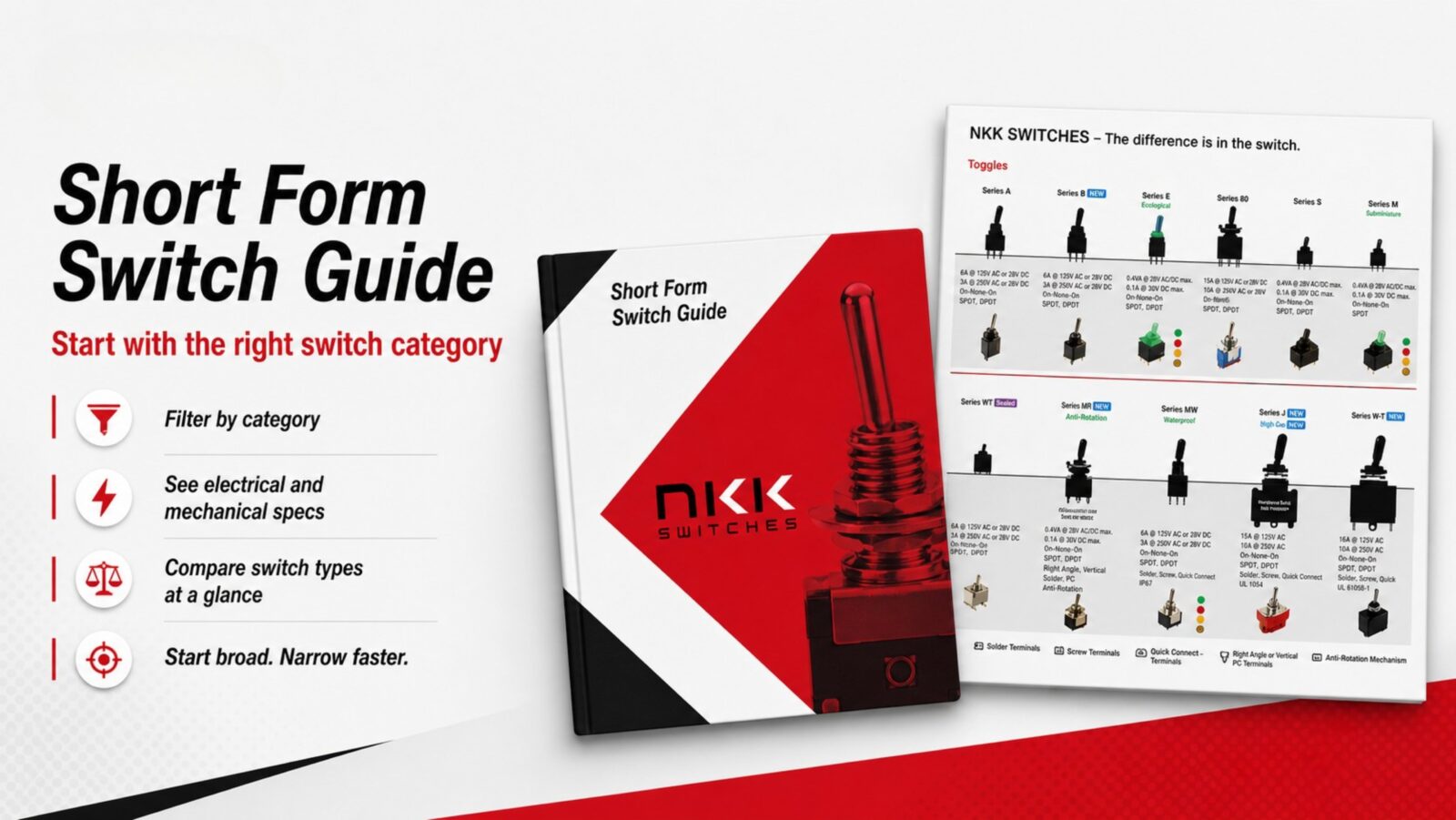
The Short Form Switch Guide maps the portfolio by type, with silhouettes shown at scale, along with series identification and core electrical specifications.
It also highlights IP ratings, illumination options, color availability, and common accessories such as protective covers and splashproof boots. Use this to eliminate incompatible switch types immediately.
What does the user need to see?
If indication is not defined early, illuminated and non-illuminated options remain in scope.
The Illuminated Products Brochure enables rapid filtering of available indication options across switch types, including color, brightness, and configuration.
If visible feedback is required to show power, status, or fault, use this to remove non-illuminated options and reduce the selection set.

How should user control behave?
Interface decisions determine how the system scales.
Fixed-function controls increase panel complexity as systems evolve, indicators multiply, labeling becomes constrained, and panel space expands.
At this point, control architecture diverges:
- Static controls with separate indicators
- Dynamic controls with integrated feedback
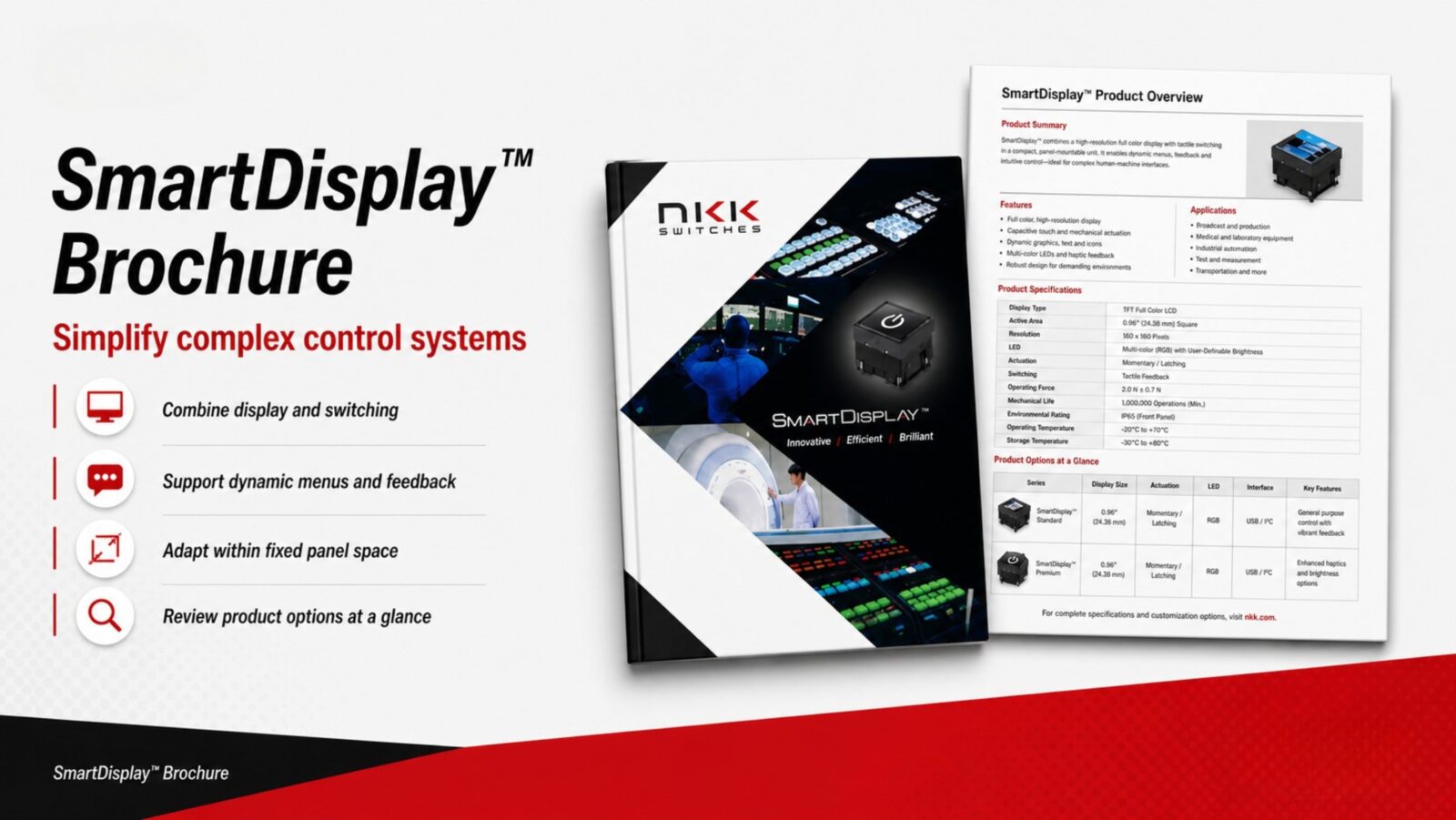
SmartDisplay™ switches consolidate control and indication at the point of interaction.
The SmartDisplay™ Brochure defines available display sizes and configurations for dynamic control interfaces.
Use this when control and indication must adapt within fixed panel space.
If your platform requires additional refinement, NKK engineers work directly with engineers to align switching performance with system architecture.